A layer, not a feature.
Security is not a product of its own here. It runs through every division: sandboxes in the runtime, approvals in Forge, keys in the Keychain, scope in testing and a record of every decision.
- ✓Allowed
- ×Denied
- →Routed
- [ ]Sandboxed
- ( )Key held
Six controls, on by default.
Nothing here is a promise for later. Each control runs in the product today.
Sandbox
Every command runs in a container: no network, a read-only system, privileges dropped.
DefaultApprovals
Tools that may change your data wait for you. A tool that changes asks again.
Every toolKeys
Tokens for apps you connect directly live in the macOS Keychain; for apps connected through Composio, Composio holds the token.
KeychainProposals
Changes come back as a diff you apply, reject or undo.
Every changeVerification
An edited test runs again against the original before anything passes.
Every runRouting
Afterburn seals endpoint keys at rest, keeps every route change reversible and records who changed what.
Compute
What can reach your files.
Your project folder sits at the centre, and every layer around it narrows what gets through. The task works on a copy in a sandbox; the model only sees what the context manifest lists; changes come back as a proposal. Nothing is applied unasked.
Sandbox container · default profile
- Network
- none
- User
- 1000:1000, not root
- Root file system
- read-only · /tmp 64 MiB, noexec
- Capabilities
- all dropped · no-new-privileges
- Limits
- 2 GiB memory · 2 CPUs · 256 processes
- Time
- 10 min by default, 30 min at most
- Your folder
- never mounted; the task works on a copy
If no container runtime is installed, Forge says the sandbox is unavailable; it never falls back to your shell. From Runtime.
01Untrusted text
Web pages, files and tool output. They can’t add a tool, a target or a permission.
02The model
Uses the fixed tools it was given, with arguments checked against a schema.
03Approvals
Anything that may change your data asks you first.
04Sandbox
No network, read-only system, works on a copy.
05Proposal
A diff you apply, reject or undo.
The rule
The model can’t widen its own reach.
A model reads untrusted text all day. So what it may do is fixed outside it, and only your own actions can change that.
The model can
- Use the fixed tools it was given, with arguments checked against a schema
- Ask you before anything that may change your data
- Read what you point it at
The model cannot
- Add a tool, or a field to a tool
- Widen its own scope or approve its own request
- Take a target or a permission from a web page, a file or a tool’s output
Approvals, in Forge
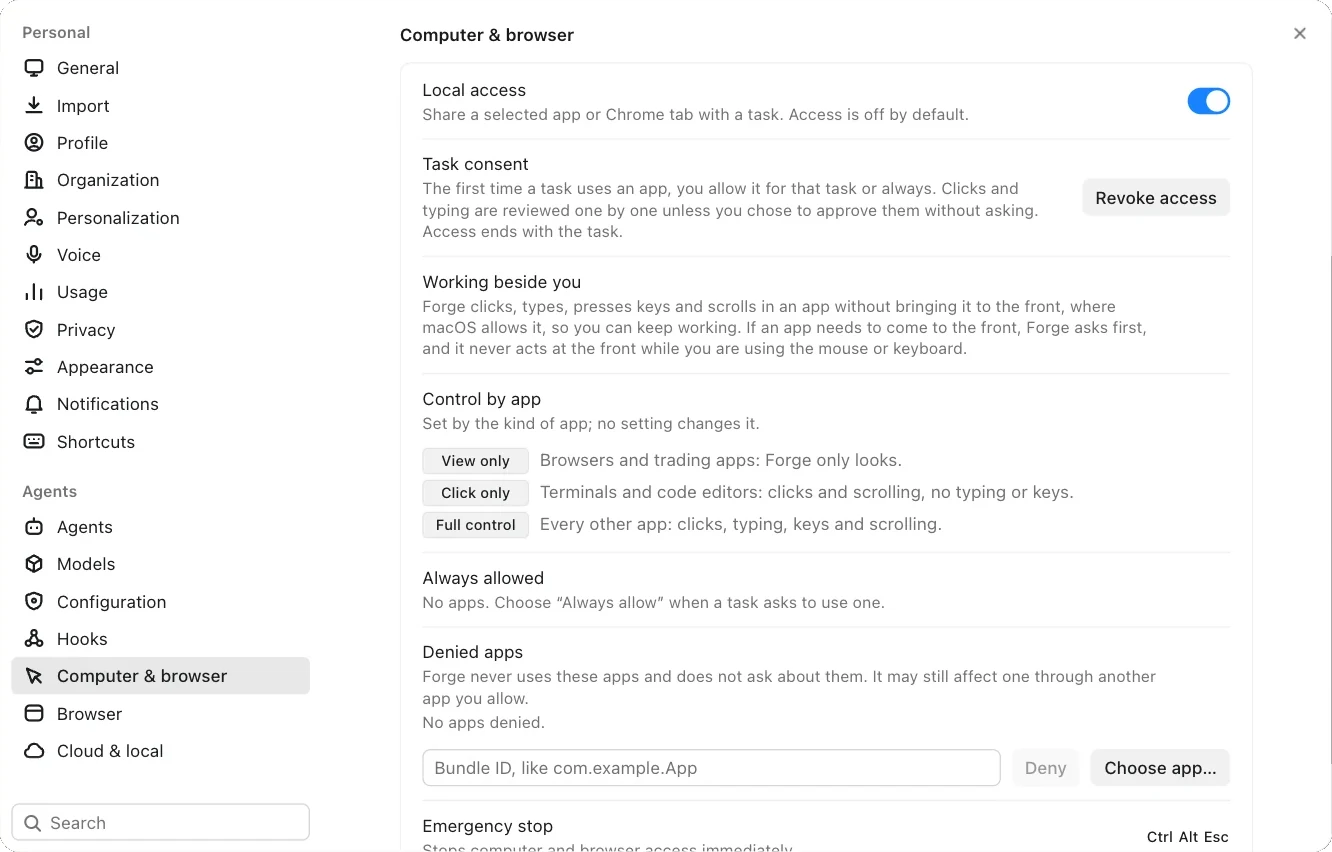
Tools that may change your data wait for you.
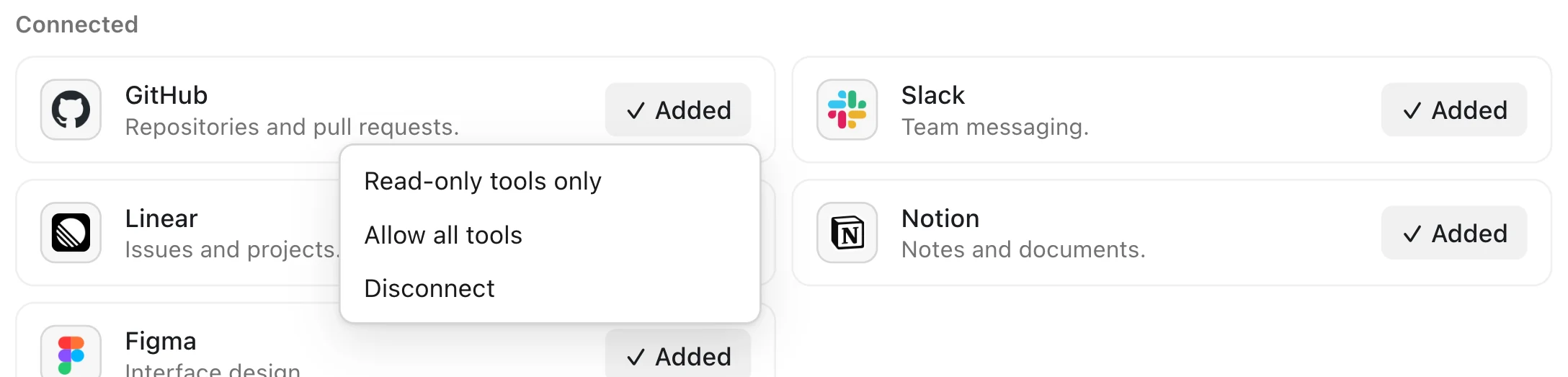
Plugins connect GitHub, Slack, Linear, Notion and Figma over MCP. For each one you choose read-only tools only or all tools, and a tool whose definition changes needs approving again.
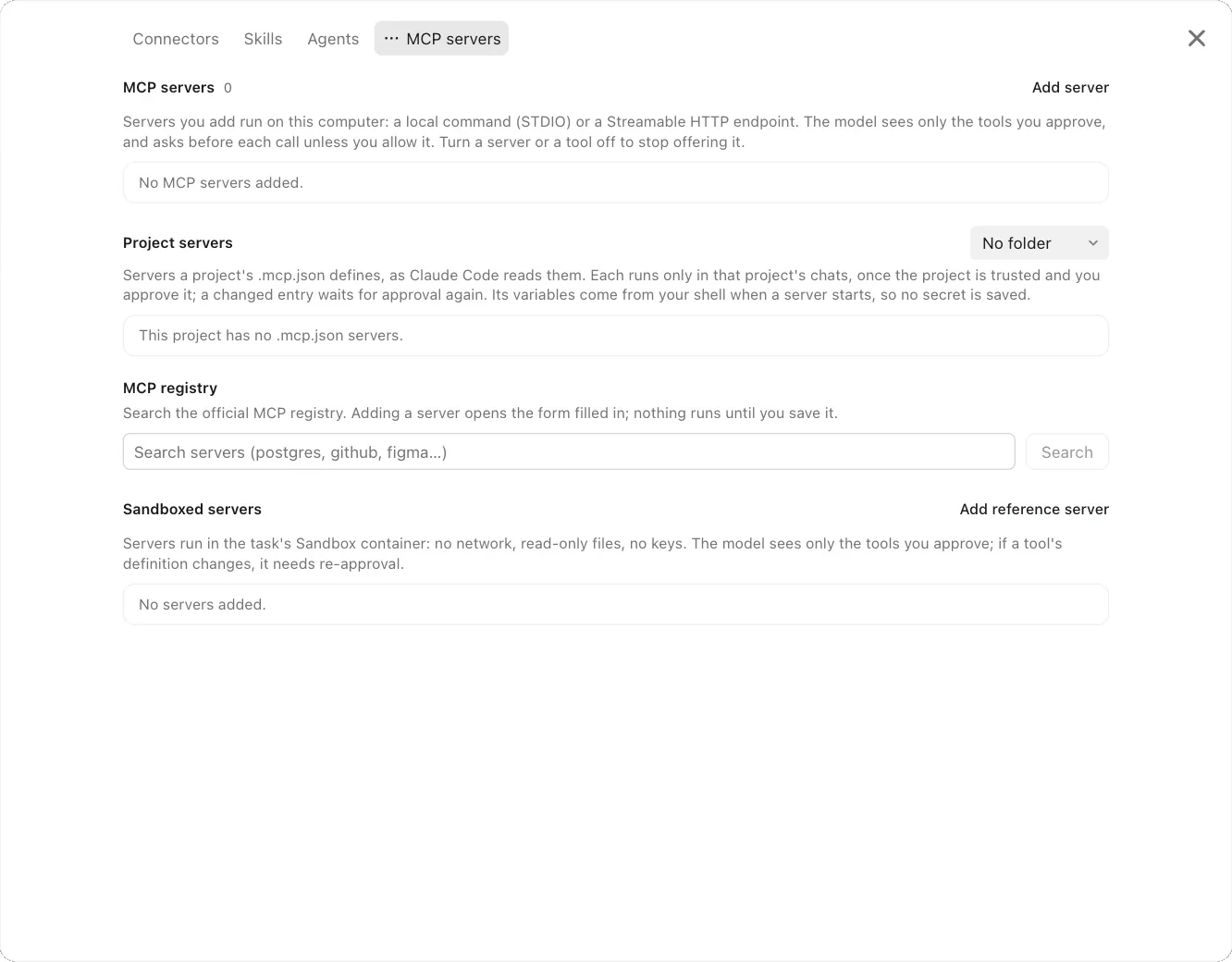
MCP servers you add run in the task’s sandbox container. In the app’s own words: no network, read-only files and no keys; the model sees only the tools you approve.
Keys
Keys stay in the Keychain, unless you choose Composio.
Sign-in tokens for apps you connect directly live in the macOS Keychain, not in a file or a database. For apps connected through Composio, Composio holds the provider token. If you add your own provider key for models, it is held in the Keychain too, and the interface never sees it.
Leaves your Mac
- Your message and the context segments listed in the manifest
- Tool results the agent needs for the next turn
- Sent from the Rust core to the model you picked, over HTTPS
Stays on your Mac
- Your project folder, unless you choose the cloud runtime; locally the sandbox works on a copy in a local volume
- Your own provider key, if you add one, in the macOS Keychain; the interface never sees it
- The syntax index and symbol graph, in a local SQLite database
Proposals and verification
A change is a proposal until you apply it.
Changes come back as a diff you apply, reject or undo. Before anything passes, the engine runs the tests itself; if the change edited a test, the original tests are put back and run again. Edited tests that pass while the originals fail give UNVERIFIED, never success.
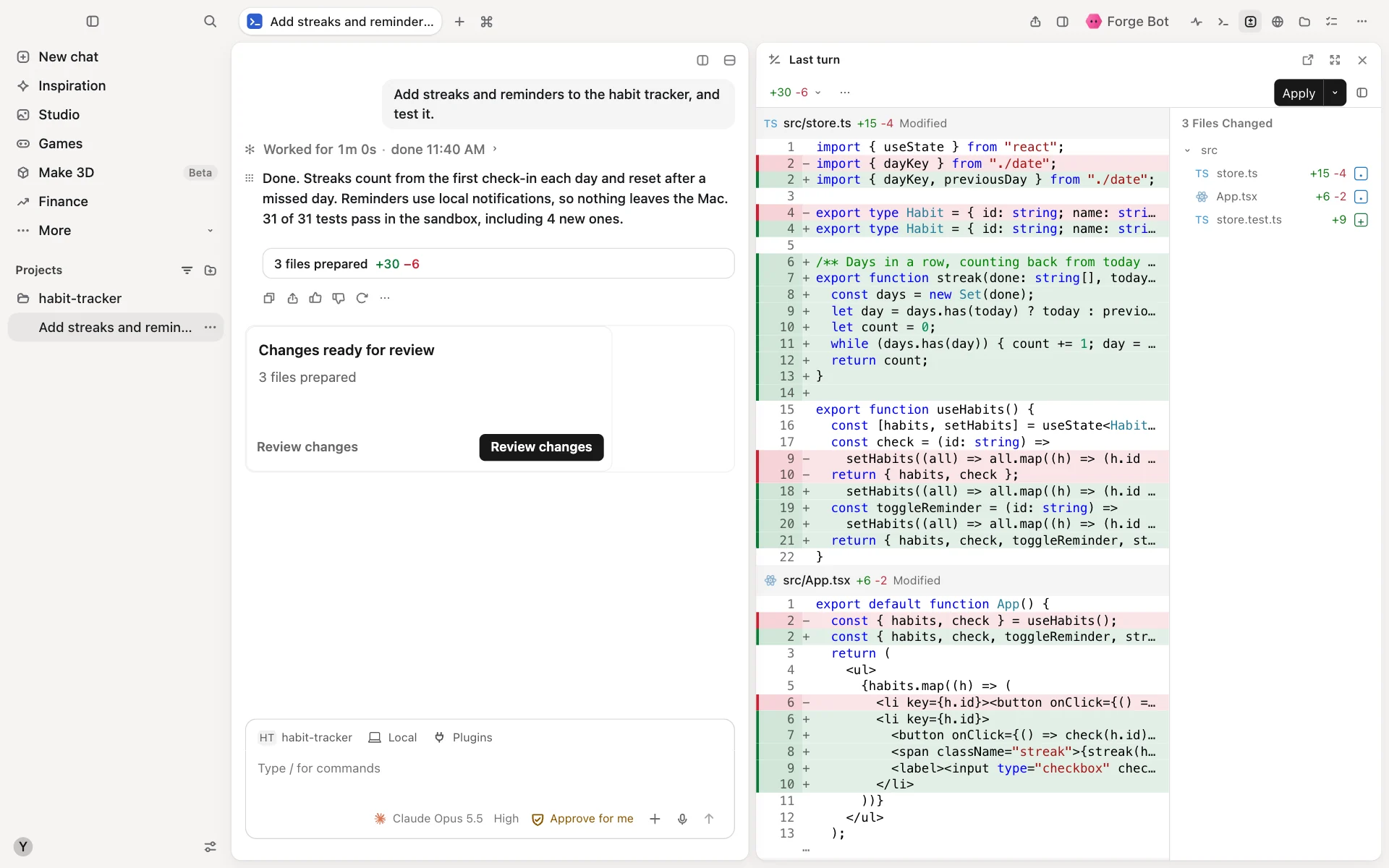
Authorised testing
Test only what you own.
The pentest module (ADR 0039) works inside an engagement: up to 20 hosts, IP addresses or network blocks that you declare and confirm you are authorised to test. Nothing is in scope until you confirm it.
- Three fixed tools
- A port scan (TCP connect, at most 64 ports), one HTTPS request and a read-only CVE lookup.
- No payloads
- Nothing that sends an exploit, tries a password or runs an attack.
- Checked before the network
- A call to a target outside the confirmed list is refused before a packet leaves the Mac.
- On the record
- Every call is written to the ledger: target, tool, result and time.
engagement  example-co · 2 targets · confirmed by you
app.example.com          host
10.0.4.0/24              network

port_scan   app.example.com   in scope · 64 ports max
http_probe  app.example.com   in scope · one HTTPS GET
port_scan   shop.example.net  not in scope · refused before the network
vuln_lookup CVE search         read-only · touches no target
The record
Every decision, one line.
Tool calls, plugin calls, sandbox starts and approvals all land in one ledger you can read.
- plugin
linear.list_issuesread-only · allowed - sandbox
start · network none · root read-only - sandbox
curl api.example.comdenied - plugin
slack.post_messagemay change data · asking - you
approved - verify
31 of 31 · original tests unchanged - keys
read from macOS Keychain · not written to a file
Questions
What can the pentest tools do?
Three things, and only against targets you confirmed: a TCP port scan of at most 64 ports, one HTTPS request and a read-only CVE lookup. Nothing sends an exploit or tries a password.
Where are my keys stored?
Sign-in tokens for apps you connect directly, and your own provider key if you add one, are stored in the macOS Keychain, not in a file or a database. For apps connected through Composio, Composio holds the provider token.
Can a web page talk the model into doing more?
What the model may do is fixed outside it: its tools, targets and permissions are set by the app and by you, so text it reads cannot add a tool, a target or a permission. A page can still try to steer the model within the tools it has, which is why anything that may change your data asks you first.
Do tests run on my machine?
They run in a Docker container on your Mac with no network, a read-only root, no capabilities and fixed limits. Your real project folder and home directory are never mounted. If no container runtime is available, Forge says the sandbox is unavailable instead of falling back to your shell.