
Software, built and proven before you see it.
Build is the part of Forge that writes code. It works in your project folder, reads what it needs through the context engine, writes the change in a sandbox, runs your tests, and hands you a finished proposal.
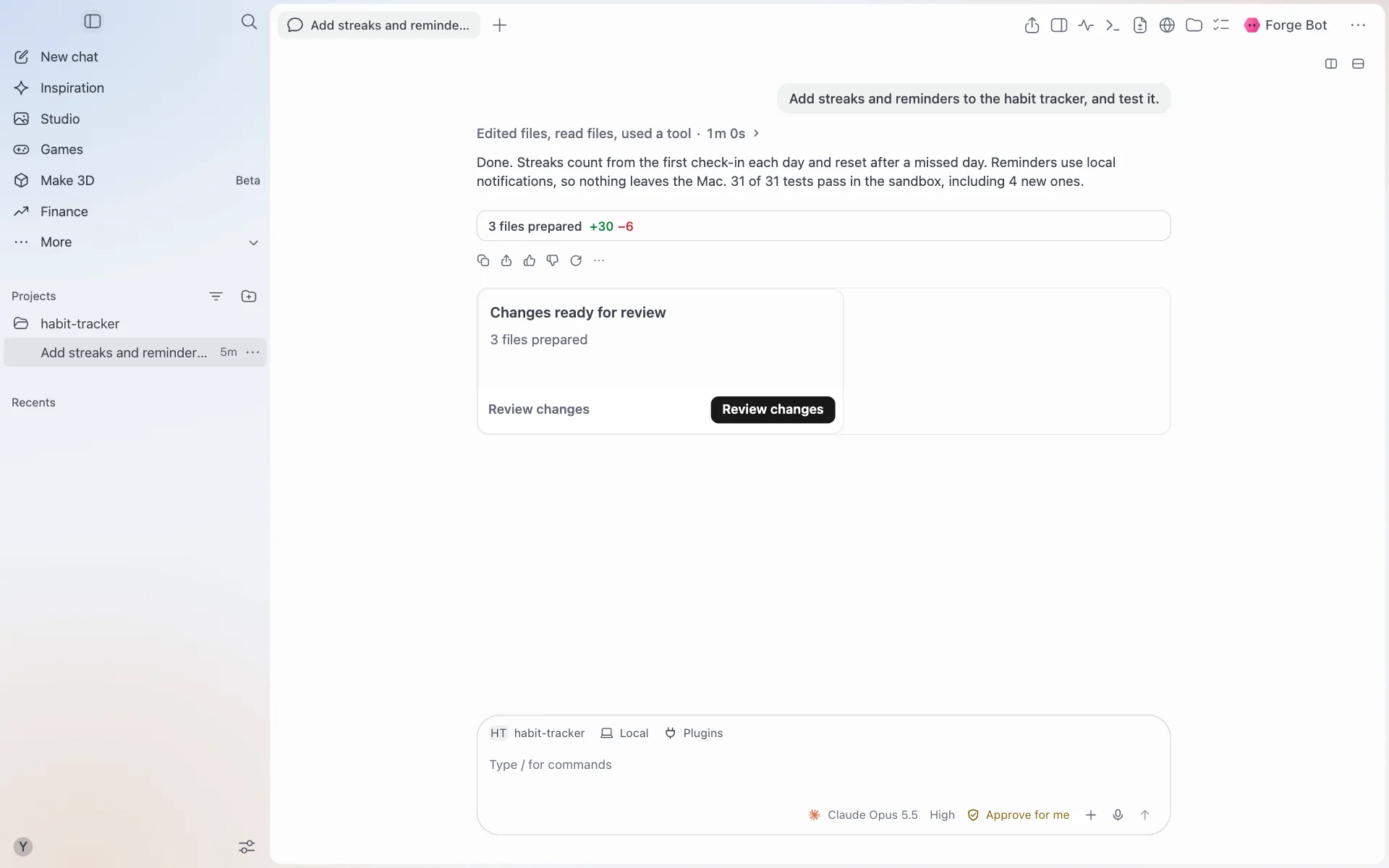
Build. Describe a change; it writes the code, runs the tests and prepares every file for your review.
01 · How a task runs
From one sentence to a change you can trust.
Every task in Build moves through the same five steps. When a check fails, the work goes back to the sandbox with the failure in hand, and comes round again until the tests pass.
You ask
Describe what you want in plain words: a feature, a fix, a whole app.
It reads the project
The context engine maps every symbol and picks the files that matter, so the model reads the right code and nothing else.
It works in a sandbox
Commands run in a container with no network and a read-only system. Your files are untouched while it works.
Tests decide
Related tests first, then the whole suite. A failing check sends the work back to repair.
You review
A diff for every file, with the results beside it. Apply it, reject it or undo it later.
02 · One real run
The request“Build a 3D globe of the last day's earthquakes from the USGS live feed, sized by magnitude, and test it.”
- 86Turns. The app shows it worked for 25 minutes.
- 3Repairs before the checks passed.
- $4.69In model calls, on Claude Opus 5.5 at high reasoning.
- 25Tests pass with
npm test, andnpm run buildsucceeds.
Every token, counted.
In that run, the usage panel showed what the conversation cost: $4.69 over 86 turns, 86,752 output tokens, and 5,986,920 input tokens, of which 5,605,719 were read from the prompt cache. Pictured: the same panel on a demo task.
Tools, system prompt and task context form a stable prefix, so each turn reads the one before from the cache instead of paying for it again.
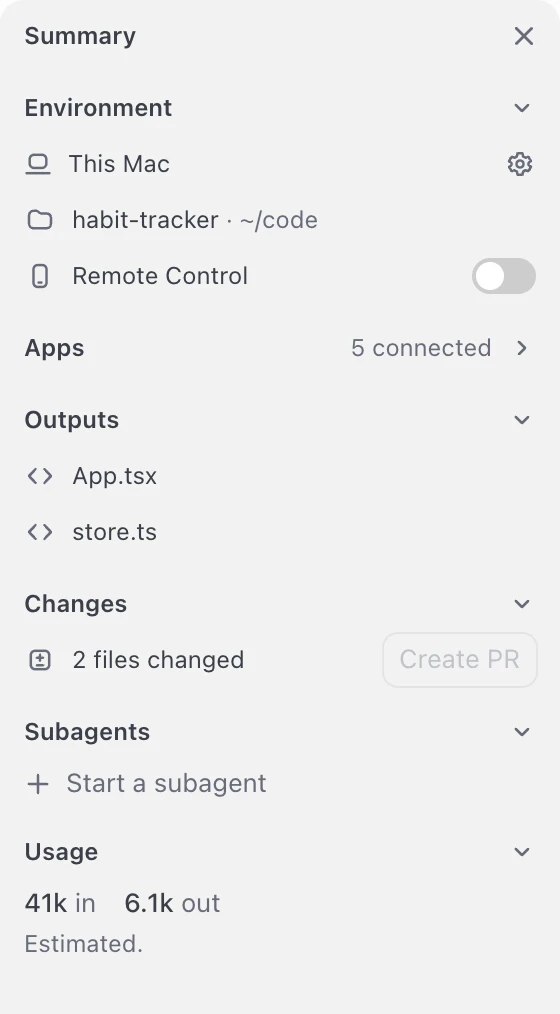
Works in your project folder
Build works where your code lives, with your own terminal beside it.
Long runs resume
A long run picks up where it stopped instead of starting again.
A preview and a diff
A preview shows what was built, and every file comes with its diff.
03 · It reads the project
Only what the task needs, with the reasons written down.
Before the model writes a line, the context engine parses the project, links every symbol and picks what the change needs. It starts from what you named and where tests fail, follows the graph a short way, and scores every candidate with written reasons.
- Seeds. Paths and names in your request or the test output, and error locations from stack traces.
- Whole or signature. A definition goes in whole or as a labelled [signature], never as half a body.
- Budget. 10% of the model's context window, between 4,000 and 20,000 tokens. What doesn't fit is listed, not dropped silently.
04 · It works in a sandbox
Your folder is never mounted.
The task gets its own copy of your project in a container. Every command the agent runs, tests included, happens there. Your real files stay as they were until you apply a change.
Sandbox containerdefault profile
- Network
- none
- User
- 1000:1000, not root
- Root file system
- read-only · /tmp 64 MiB, noexec
- Capabilities
- all dropped · no-new-privileges
- Limits
- 2 GiB memory · 2 CPUs · 256 processes
- Time
- 10 min by default, 30 min at most
- Your folder
- never mounted; the task works on a copy
05 · Tests decide
Checks are run by the engine, not suggested by the model.
Results are compared test by test with a baseline taken before the change, so a regression is named and an old, unrelated failure isn't blamed on it.
- 1
Related tests
Test files that changed, or that name the changed module, run first as a fast check. If they fail, repair starts without waiting for the full suite.
- 2
The whole suite
Your project's own test command. It is always the final check; the targeted run never replaces it.
- 3
Independent acceptance
If the change edited a test file, the original tests are put back and the suite runs again. Edited tests that pass while the originals fail give UNVERIFIED, never success.
- PASSEDThe full suite ran in the sandbox and passed.
- FAILEDShown with its output; the agent gets the failing tests by name and goes back to repair.
- UNVERIFIEDSomething passed, but not in a way that proves the change.
- UNAVAILABLENo test command or no sandbox runtime. Reported as such, never as passing.
06 · You review
Nothing changes until you apply it.
The run ends as a proposal: 19 new files, each with its diff, in a side panel beside the conversation. Apply it, reject it or undo it later.
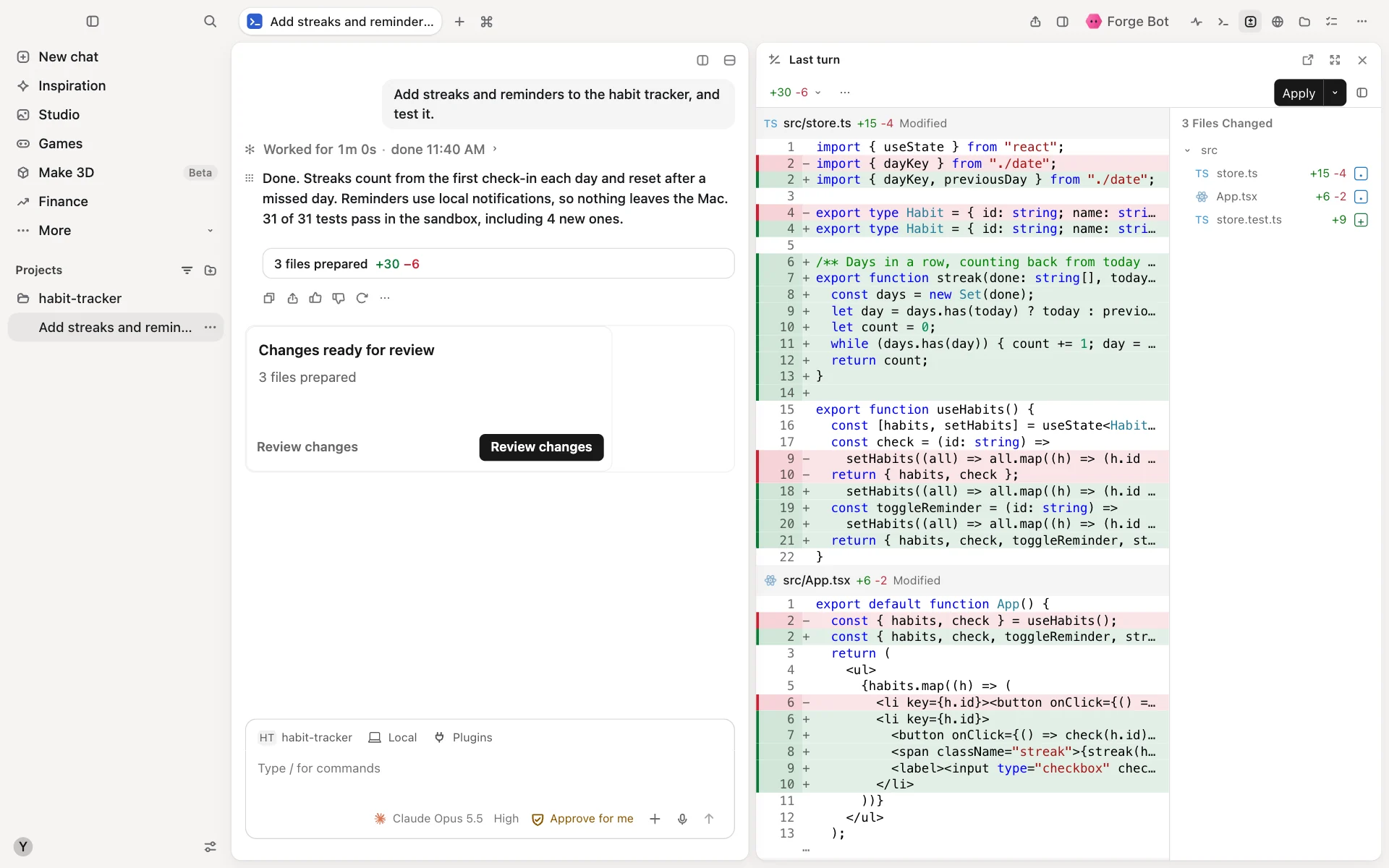
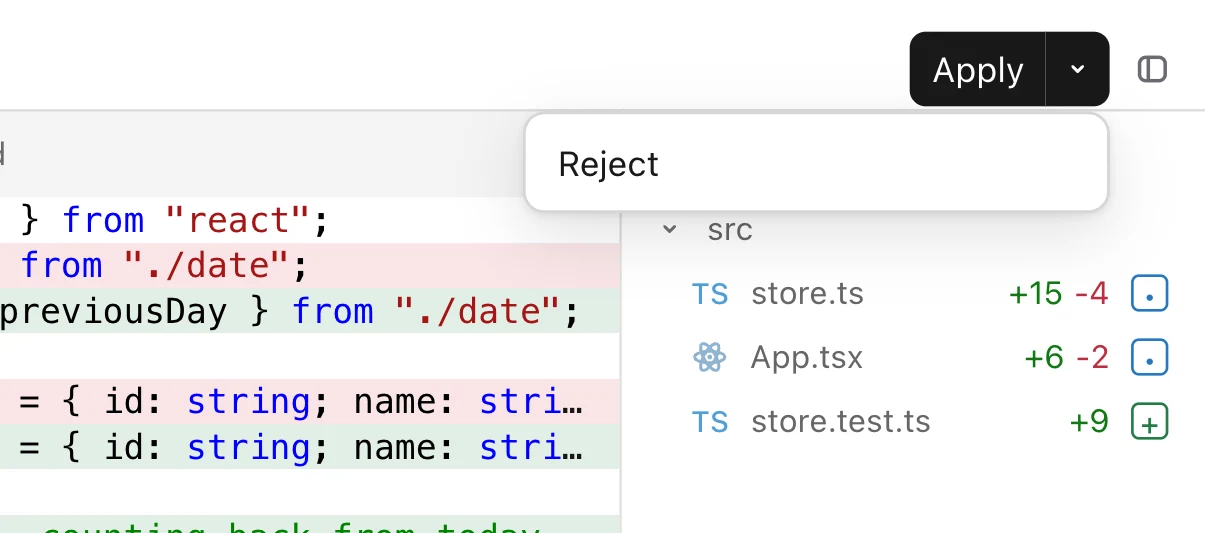
Apply, or reject.
Apply puts the change into your project; the menu beside it rejects it. Applying on your behalf is a setting you can turn on, not a default.
In the app, View changes opens each file’s diff with the test results beside it.
07 · What it built
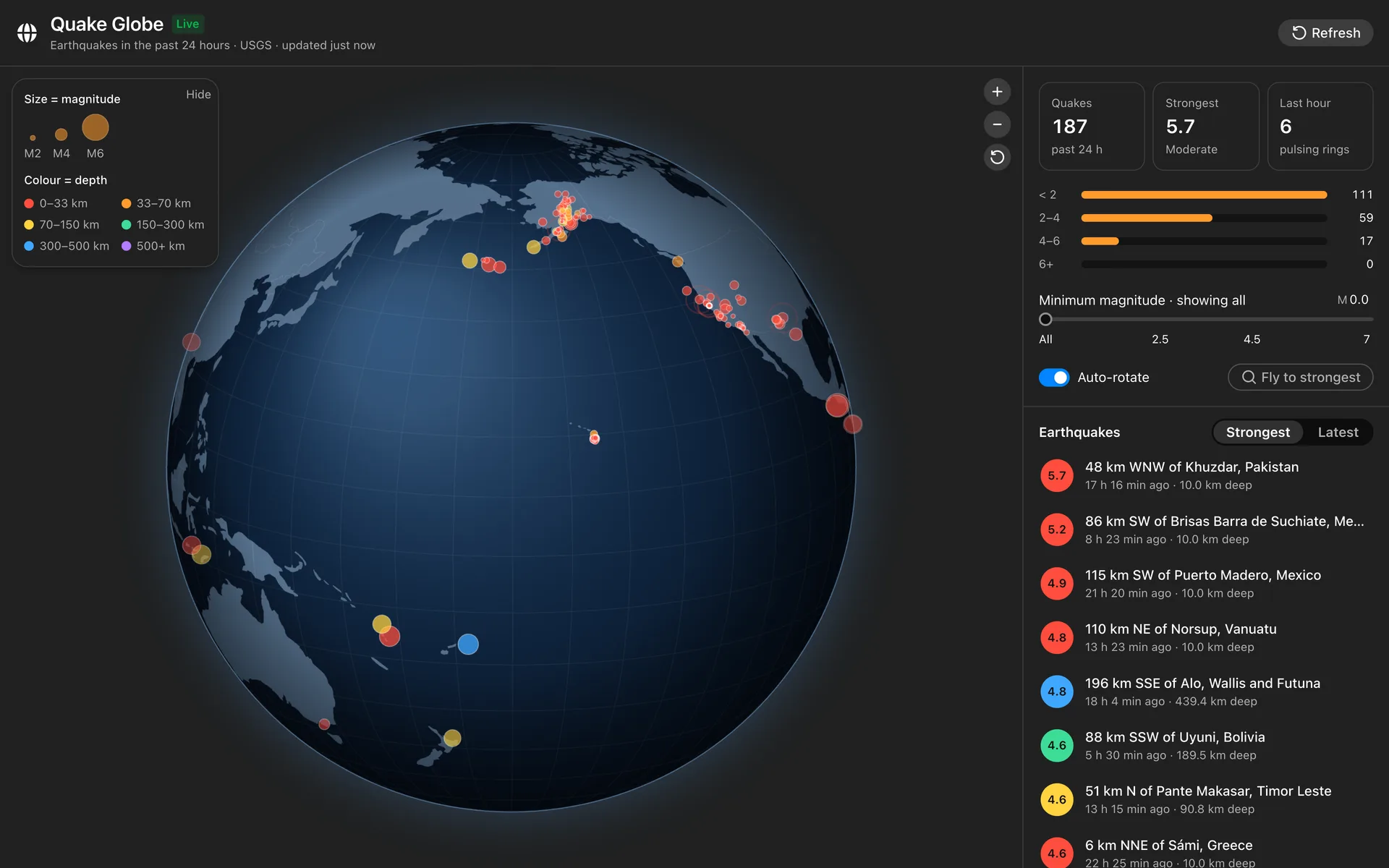
Quake Globe. Built by that run.
Each quake is a circle sized by magnitude, coloured by depth, and quakes from the last hour pulse. Drag to rotate, filter by magnitude, or fly to the strongest. If USGS can't be reached it offers a Retry button and a clearly labelled sample dataset.
08 · Models
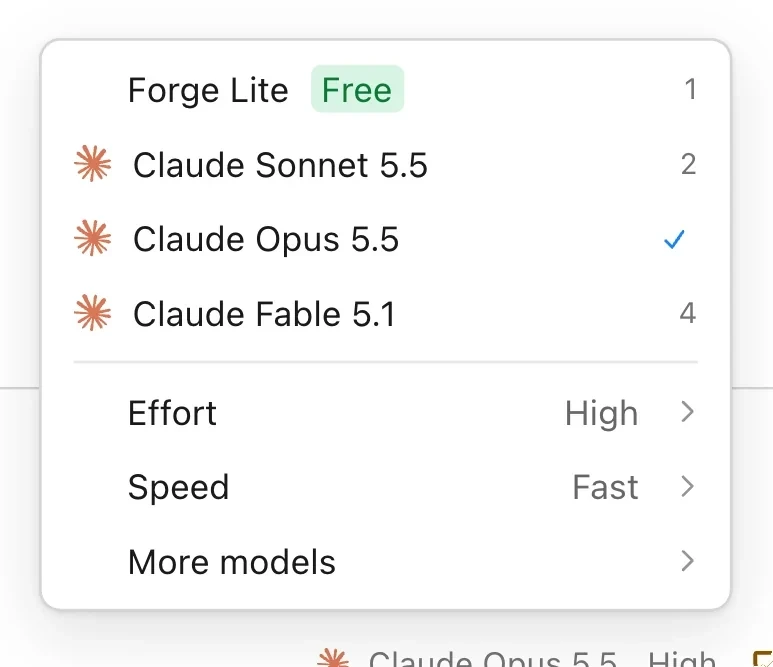
Pick the model per conversation.
Claude, GPT, Gemini, Grok, Kimi, Qwen, GLM and DeepSeek, from the same composer. Change the model whenever the work changes; the quake-globe run used Claude Opus 5.5 with reasoning set to high.
Powerful, and on a short leash.
How security works- [ ]
Sandboxed
Every command runs in a container with no network and a read-only system.
- ?
Asks first
Tools that may change your data wait until you approve them.
- ( )
Keys stay local
Sign-in tokens live in the macOS Keychain, not in files. Apps connected through Composio keep their token with Composio.
- ±
Nothing unasked
Changes arrive as a diff. Nothing is applied until you say so.
09 · Measured
Same model. 32% lower cost per solved issue.
Forge and Claude Code ran the same tasks with Claude Opus 5.5 at medium effort, judged by tests neither saw: real GitHub issues from SWE-bench, graded by SWE-bench's own harness. One run per GitHub issue and two per small task, on one Mac; Forge’s cost is what OpenRouter charged, Claude Code’s is the cost it reports at list prices. How we measured
| 290 real GitHub issues | Forge | Claude Code |
|---|---|---|
| Issues resolved (SWE-bench harness) | 268 / 290 | 262 / 290 |
| Cost per resolved issue, repairs included | $0.159 | $0.234 |
| Input tokens per run | 114,567 | 240,781 |
| Median time | 107 s | 36 s |
Claude Code pays 1.47× as much per solved issue. Forge takes longer per run. Every run, its logs and the harness are public. Read the benchmark
Questions
Does Build change my files without asking?
No. The work happens on a copy in a sandbox and comes back as a proposal: a diff for every file with the test results beside it. Applying on your behalf is a setting you can turn on, not a default.
What happens when a test fails?
The failing tests go back to the agent by name, with their output, and it repairs the change in the sandbox. The quake-globe run went through three repairs before its checks passed.
Can the agent reach the internet while it works?
Not from the sandbox: the container has no network and a read-only system. The quake-globe report is open about what that means: its test browser blocks all outside connections, so loading the live USGS feed was the one thing it could not check.
Which models can Build use?
Claude, GPT, Gemini, Grok, Kimi, Qwen, GLM and DeepSeek, chosen per conversation.
What is the app on this page?
The real Forge app, running in your browser with demo data: one sample project with one finished Build run, plus the app’s own screens. It runs no model, touches no files and sends nothing you type anywhere. Some screens load public logos and preview images from their own hosts. On a phone you see screenshots of the same screens.