
Your tools, connected once.
Plugins connect Forge to GitHub, Slack, Linear, Notion, Figma and the rest of the catalog over MCP. You sign in once, and any tool that may change your data asks before it runs.
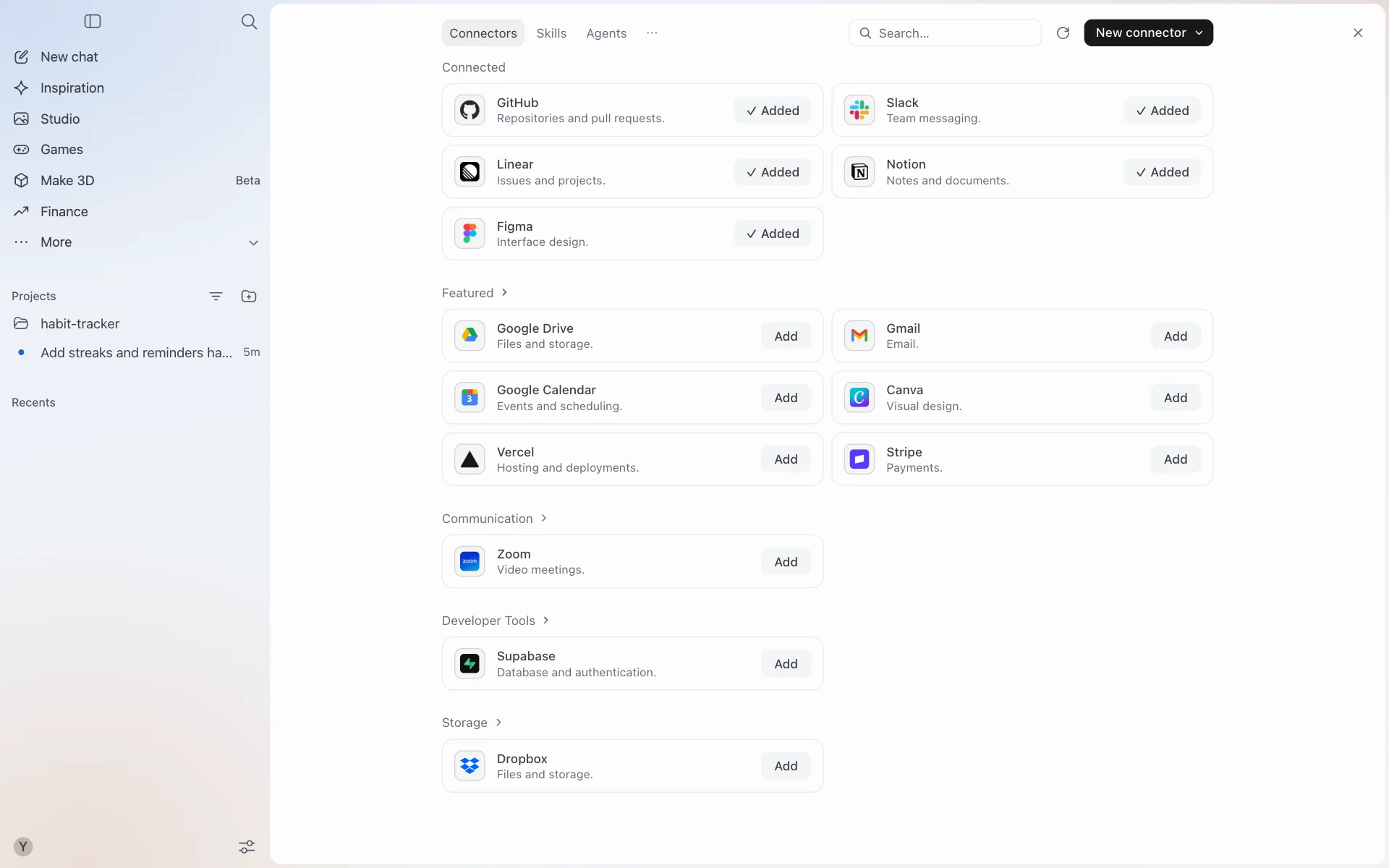
Plugins. GitHub, Slack, Linear, Notion and Figma over MCP; tools that may change your data ask first.
01 · The rule
Reading runs once you allow it.
Changing asks first.
Every plugin call goes through the same gate. A tool its provider marks read-only can run once you allow it. A tool that may change data in your account runs only after you approve that tool, and the decision lands in the record.
- plugin
linear.list_issuesread-only · allowed - plugin
slack.post_messagemay change data · asking - you
approved - keys
read from macOS Keychainnot written to a file
The catalog, as the app lists it
Add your own server14 services, grouped the way the Plugins page groups them. Five are connected in the demo.
 GitHubRepositories and pull requests.Developer Tools
 SlackTeam messaging.Communication
 LinearIssues and projects.Developer Tools
 NotionNotes and documents.Storage
 FigmaInterface design.Design
 Google DriveFiles and storage.Storage
 GmailEmail.Communication
 Google CalendarEvents and scheduling.Communication
 ZoomVideo meetings.Communication
 VercelHosting and deployments.Developer Tools
 SupabaseDatabase and authentication.Developer Tools
 DropboxFiles and storage.Storage
 CanvaVisual design.Design
 StripePayments.Business
Logos and descriptions as they appear in Forge's Plugins page. Connected in the demo.
02 · Connect
Sign in once, over MCP.
Each plugin is a remote MCP server. Press the plus beside one and finish the provider's sign-in; it shows as connected from then on, in the Plugins page and in the sidebar.
For a server that isn't in the catalog, Add takes a name and an address. It lands under Personal, where your own servers are listed.
- Forge waits up to five minutes for you to finish signing in
- Your own servers need an https address, with no name or password in it
- If a provider refuses the stored sign-in, the plugin asks you to sign in again

03 · Keys
Direct sign-ins stay in the Keychain.
-
macOS Keychain
Sign-in tokens for models and for plugins you connect directly are kept in the macOS Keychain, not in a file or a database. For apps connected through Composio, Composio holds the provider token.
-
Disconnect forgets
Disconnect from a plugin's menu, and its sign-in and every tool approval you gave it are forgotten.
-
No keys in the sandbox
MCP servers you run yourself start inside the task's sandbox container, with no network, read-only files and no keys.
04 · Approvals
Asks before anything that may change your data.
Every tool a plugin offers is tagged by what it does: read-only, as the provider describes it, or may change data. From a plugin's menu you allow its read-only tools only, or all of them. Allowing all of them asks you to confirm first. A tool that may change data runs only once you have approved it, and a tool whose definition changes has to be approved again.
Forge asks
post_message is not marked read-only by Slack: it may change data in your account. Let the Agent use it?
And for read-only tools
Slack marks these tools read-only (its own claim, not verified): … Approve them for the Agent?
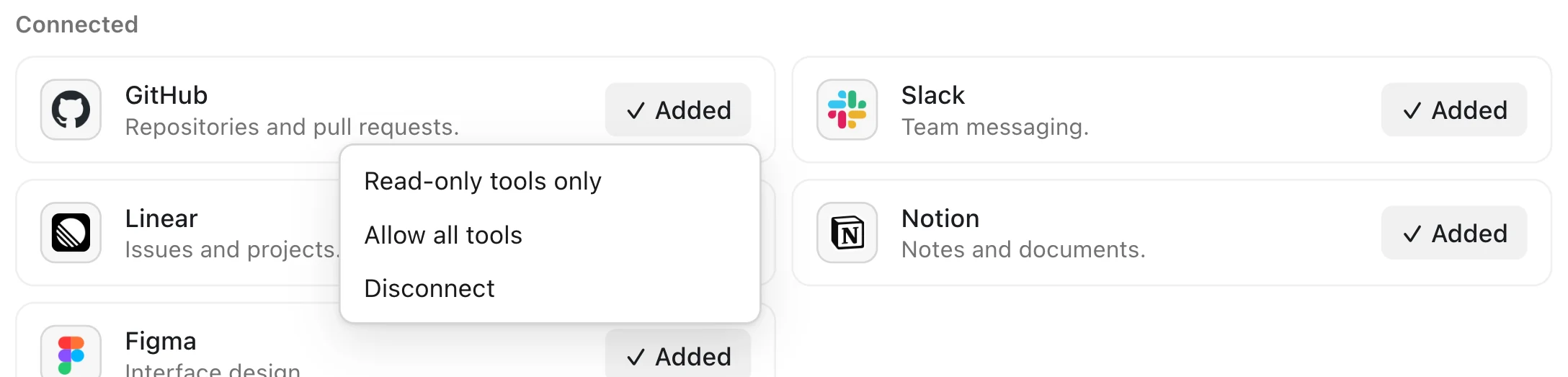
What a plugin does inside Forge
Automations-
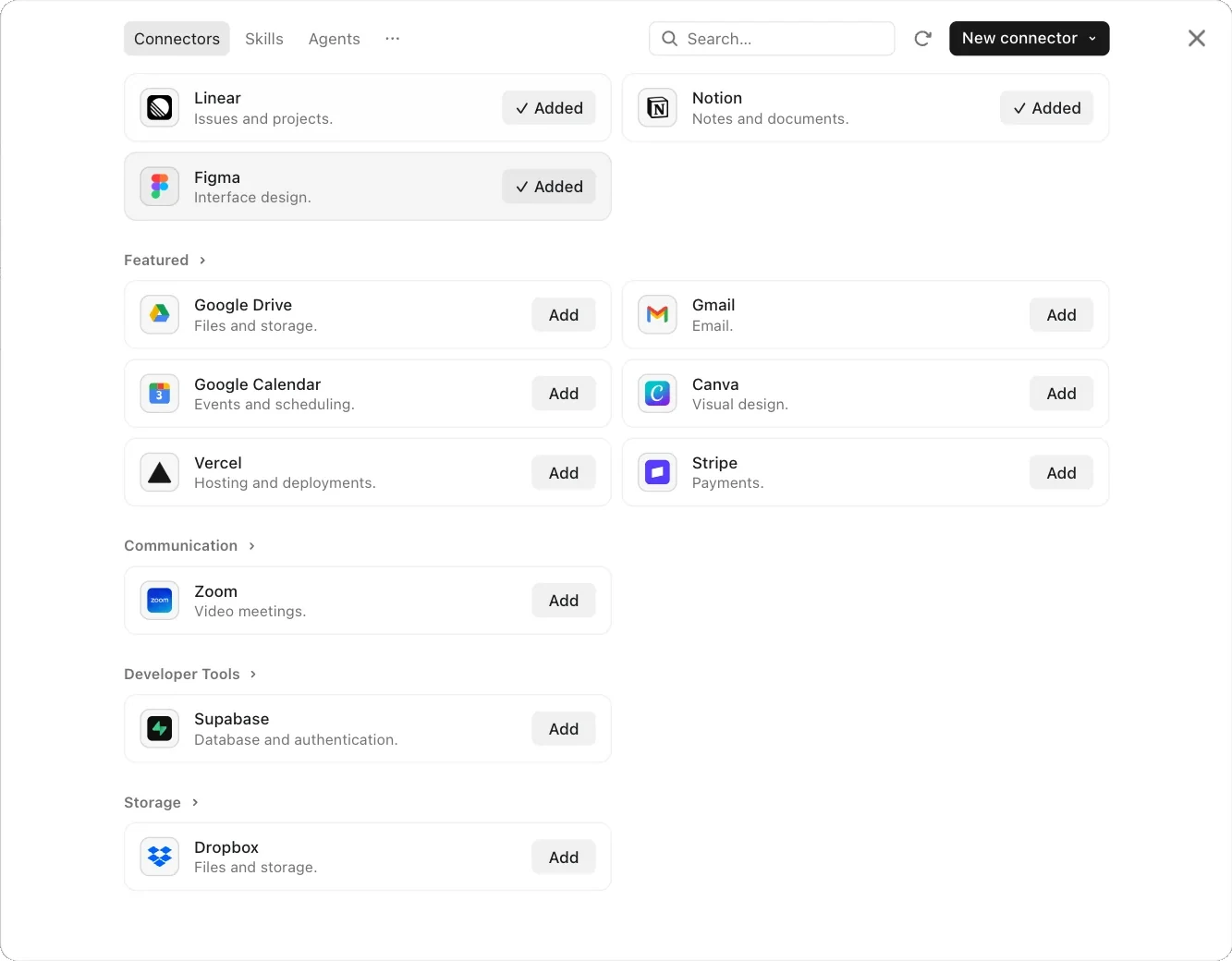
In a conversation
In Build or any chat, the agent works with the tools of the apps you connected. A read-only call such as listing Linear issues runs; posting to Slack waits for your yes.
-
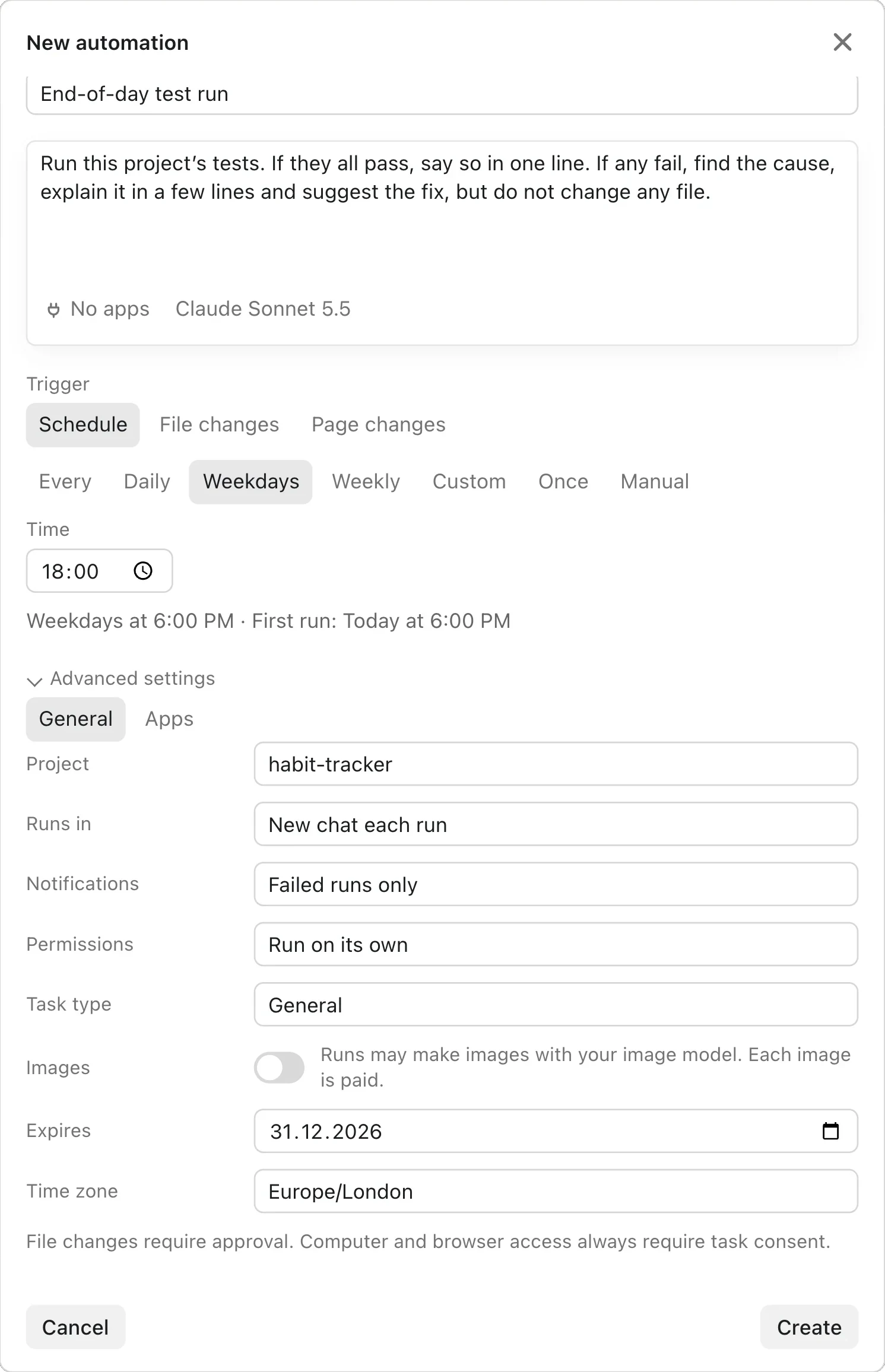
In an automation
Each automation picks its connections. Only connections you have already allowed are available, up to eight MCP servers per task. File changes still require approval.
-
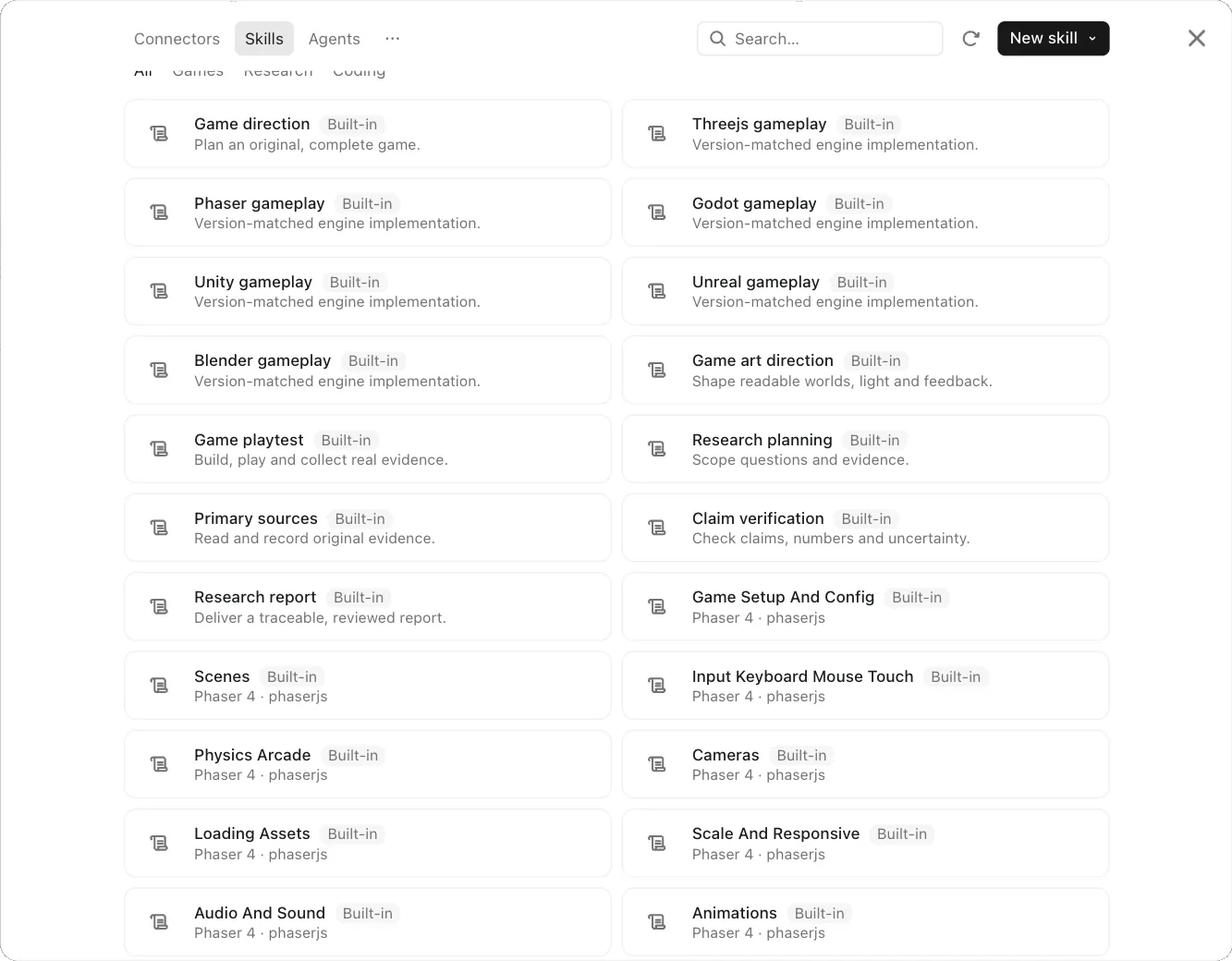
Beside skills
The same page holds Skills: procedures that Games and Research pick when they are relevant, with references loaded only when needed. You can add your own.
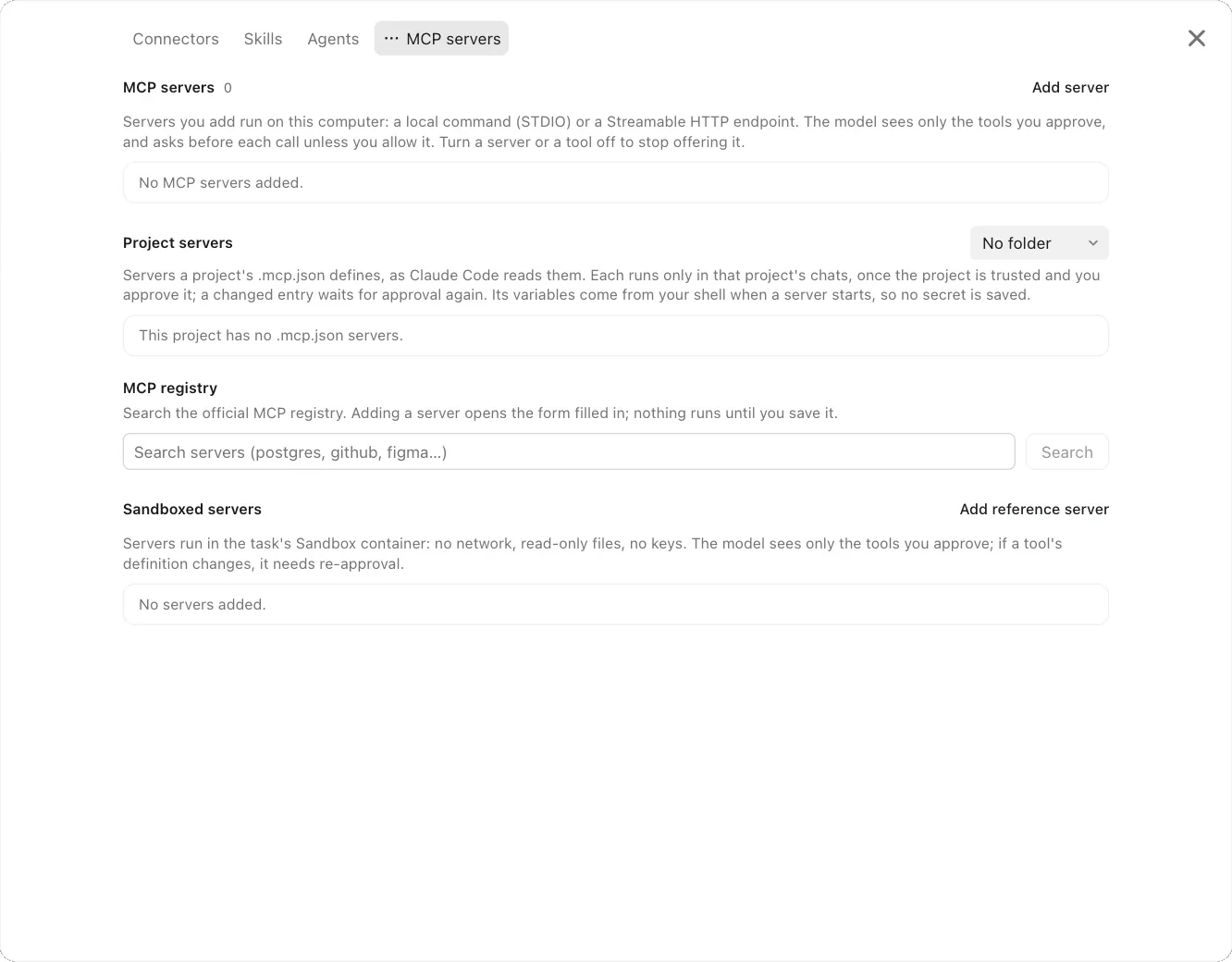
Your own MCP servers run in the sandbox.
Under MCP servers you add a reference server of your own. It runs in the task's sandbox container: no network, read-only files, no keys. The model sees only the tools you approve, and if a tool's definition changes, it needs approval again.
Questions
Which apps can I connect?
The catalog in Forge lists GitHub, Slack, Linear, Notion, Figma, Google Drive, Gmail, Google Calendar, Zoom, Vercel, Supabase, Dropbox, Canva and Stripe. Any other remote MCP server can be added with its https address.
Where do my sign-in tokens live?
Sign-in tokens for models and for plugins you connect directly are stored in the macOS Keychain, not in a file or a database. For apps connected through Composio, Composio holds the provider token.
Can a plugin change my data without asking?
A tool that may change data waits for your approval before it runs. Read-only tools run only after you allow them, and the provider's read-only label is shown as its own claim, not something Forge has verified.
What happens when I disconnect?
The plugin's sign-in and every tool approval you gave it are forgotten. Connecting again starts from a fresh sign-in.
Can a web page talk the agent into using more tools?
What the model may do is fixed outside it: its tools, targets and permissions are set by the app and by you, so text it reads cannot add a tool, a target or a permission. A page can still try to steer the agent within the tools it has, which is why anything that may change your data asks you first.
What is the app on this page?
The real Forge app, running in your browser with demo data: one sample project with one finished Build run, plus the app’s own screens. It runs no model, touches no files and sends nothing you type anywhere. Some screens load public logos and preview images from their own hosts. On a phone you see screenshots of the same screens.